Overview
Double-clicking a row to open its details is one of the first things users expect from a DataGrid in a line-of-business application.
The approach most often shown for MVVM uses an EventTrigger from Microsoft.Xaml.Behaviors.Wpf to catch the MouseDoubleClick event of the DataGrid itself and passes SelectedItem as the CommandParameter.
It works as expected when a row is double-clicked.
However, it also runs when a column header, the scroll bar thumb or track, or the blank area below the last row is double-clicked, and then it opens whichever row was selected before.
On a column header the double-click also sorts the column, so the opened row may no longer even be on screen.
This article compares four ways of catching the double-click by double-clicking the same places with a real mouse.
It shows where the two grid-level approaches fire by mistake, which of the two row-level approaches still works on an editable cell, and how to choose among the four.
Prerequisites / Environment
- Framework: WPF on .NET. The code uses C# 9 or later syntax (patterns such as
is not null and not DataGridRow) and assumes nullable reference types are enabled.EventTriggerandInvokeCommandActioncome from the NuGet packageMicrosoft.Xaml.Behaviors.Wpf, and the article uses theEventArgsConverterproperty. Behavior was measured only in the verification environment below, not on .NET Framework 4.8 or with other versions of the package - Architecture: MVVM. The view model base class
ObservableObjectandRelayCommand<T>are minimal in-house implementations.CanExecuteofRelayCommand<T>returnsfalsewhen the argument is not aT(includingnull). UpdatingCanExecuteis covered in the article on a RelayCommand whose CanExecute does not update the button state - Verification environment: .NET 10 / Windows 11 /
Microsoft.Xaml.Behaviors.Wpf1.1.135. Clicks and double-clicks were real OS mouse input; a double-click was sent with 100 ms between the first and second clicks (shorter than the default double-click time of 500 ms). Each time, the measurement checked that the two mouse-downs reached theDataGridwithClickCount1 and 2. In a trial that sent all four inputs at once with no gap, the result for double-clicking an editable cell of the selected row was different, so all measurements use the gap, which is closer to how a person clicks. Because the measurement loaded the XAML withXamlReader, onlyxmlns:bwas mapped to the same assembly inclr-namespaceform - Subject: a customer
DataGridwith two columns,NameandCity(width 240, height 150, 20 rows). The blank area below the last row (hereafter, the blank area) is measured with a 3-rowDataGrid. The second row,beta, is selected with a click, and each place is double-clicked after waiting longer than the double-click time - Scope: opening details with a mouse double-click. Opening with the keyboard (such as the Enter key), opening with several rows selected, the arrow buttons of the scroll bar, the row header (
DataGridRowHeader),RowDetails, and nestedDataGrids were not measured
The view model holds the list of customers and an OpenCommand that receives a customer and opens its details.
Opening the details itself (showing a dialog or switching pages) is not the subject here, so the body of Open is left empty.
public sealed class CustomersViewModel : ObservableObject
{
    public CustomersViewModel(IEnumerable<Customer> customers)
    {
        Customers = new ObservableCollection<Customer>(customers);
        OpenCommand = new RelayCommand<Customer>(Open);
    }

    public ObservableCollection<Customer> Customers { get; }

    public ICommand OpenCommand { get; }

    private void Open(Customer customer)
    {
        // Open the details (show a dialog, switch to a details page, and so on).
    }
}
Because OpenCommand is a RelayCommand<Customer>, CanExecute returns false for anything other than a Customer (including null).
InvokeCommandAction calls Execute only when CanExecute returns true (Invoke in InvokeCommandAction.cs).
This behavior determines the results of the approaches compared later.
Problem
The commonly shown approach puts an EventTrigger inside the DataGrid and calls OpenCommand on MouseDoubleClick.
The customer passed is SelectedItem, which the first click of the double-click is expected to have selected.
<DataGrid x:Name="grid" Width="240" Height="150" ItemsSource="{Binding Customers}"
          AutoGenerateColumns="False" IsReadOnly="True">
  <b:Interaction.Triggers>
    <b:EventTrigger EventName="MouseDoubleClick">
      <b:InvokeCommandAction Command="{Binding OpenCommand}"
                             CommandParameter="{Binding SelectedItem, ElementName=grid}" />
    </b:EventTrigger>
  </b:Interaction.Triggers>
  <DataGrid.Columns>
    <DataGridTextColumn Header="Name" Binding="{Binding Name}" Width="90" />
    <DataGridTextColumn Header="City" Binding="{Binding City}" Width="90" />
  </DataGrid.Columns>
</DataGrid>
xmlns:b is set to http://schemas.microsoft.com/xaml/behaviors.
Double-clicking the third row, gamma, passes gamma as expected.
However, double-clicking the Name column header while beta is selected passes beta to OpenCommand.
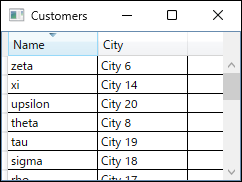
The user only clicked the column header twice to sort, yet a row that is not even visible opens.
The same happens when the scroll bar thumb or track is pressed twice quickly, or when the blank area below a short list is double-clicked: the currently selected row opens.
Cause / Background
MouseDoubleClick is a direct routed event defined on Control; each Control along the element tree raises it for itself (Control.MouseDoubleClick).
A DataGrid is a Control, so not only the rows but also double-clicks on the column headers, the scroll bar thumb or track, and the blank area raise the DataGrid’s own MouseDoubleClick.
In addition, clicking a column header or the scroll bar thumb or track does not change the selection, so SelectedItem still holds the row selected before.
The double-clicked row and the selected row match only when a row is double-clicked.
The following table shows what reaches the DataGrid on the second click.
| double-clicked | ClickCount of the two mouse-downs | MouseLeftButtonDown (ClickCount=2) handled at the DataGrid | OriginalSource of DataGrid.MouseDoubleClick | its visual parent at that time | IsEditing of the double-clicked cell at that time | mouse-downs reaching the window | MouseDoubleClick of the double-clicked row |
|---|---|---|---|---|---|---|---|
| cell of gamma (row 3) | 1, 2 | False | TextBlock | ContentPresenter | - | 2 | raised |
| Name column header | 1, 2 | True | DataGridHeaderBorder | Grid | - | 2 | - |
| vertical scroll bar thumb | 1, 2 | True | Rectangle | Thumb | - | 2 | - |
| vertical scroll bar track below the thumb | 1, 2 | True | Rectangle | RepeatButton | - | 2 | - |
| blank area below the last row (3 rows) | 1, 2 | False | ScrollViewer | Border | - | 2 | - |
| cell of beta (selected) with Ctrl held | 1, 2 | True | TextBlock | ContentPresenter | - | 2 | raised |
| cell of gamma (not selected) with Ctrl held | 1, 2 | True | TextBlock | ContentPresenter | - | 2 | raised |
| Name cell of gamma, DataGrid and columns IsReadOnly=False | 1, 2 | True | TextBlock | null | True | 2 | raised |
| Name cell of beta (selected), DataGrid and columns IsReadOnly=False | 1, 2 | True | TextBoxView | ScrollContentPresenter | True | 2 | raised |
| Name cell of gamma, DataGrid IsReadOnly=False, only the Name column IsReadOnly=True | 1, 2 | False | TextBlock | ContentPresenter | False | 2 | raised |
| City cell of gamma, DataGrid IsReadOnly=False, only the Name column IsReadOnly=True | 1, 2 | True | TextBlock | null | True | 2 | raised |
Values read by handlers added to the DataGrid with handledEventsToo after selecting the second row, beta, with a click and then double-clicking each place (.NET 10 / Windows 11, real mouse input). “At that time” means when the handler for the DataGrid’s MouseDoubleClick ran.
On the column header, the scroll bar thumb and track, a cell double-clicked with Ctrl held, and an editable cell (a cell whose DataGrid and column both have IsReadOnly=False), the second MouseLeftButtonDown is already handled (Handled is True) when it reaches the handler on the DataGrid.
MouseDoubleClick is still raised in every place.
This is because Control registers the class handler that detects double-clicks so that it also receives handled events, with handledEventsToo set to true (the static constructor in Control.cs).
On an editable cell, editing starts in the middle of the double-click.
DataGridCell starts editing when a focused, selected cell is clicked without Ctrl (OnAnyMouseLeftButtonDown in DataGridCell.cs).
When the unselected gamma is double-clicked, the first click selects it and the second click starts editing.
The cell’s IsEditing is already True when the MouseDoubleClick handler runs.
At that point the visual parent of the TextBlock that is the OriginalSource is null.
The DataGrid’s MouseDoubleClick arrives after the cell has entered edit mode and the display TextBlock has left the visual tree.
When the selected beta is double-clicked, the first click starts editing and the second click lands on the editing TextBox.
The OriginalSource is then the TextBoxView inside the TextBox, which is still in the visual tree.
Whether editing starts is decided per column (cell).
In a DataGrid with only the Name column set to IsReadOnly="True", the Name cell did not enter edit mode; Handled stayed False and the parent of the TextBlock stayed ContentPresenter.
The editable City cell in the same DataGrid gave the same values as when both the DataGrid and the columns have IsReadOnly=False.
These two differences (whether the input is already handled, and whether the OriginalSource is still in the tree) separate the results of the approaches compared in the next section.
Four Ways to Catch the Double-Click
The following table shows the results of the same fourteen double-click cases with the four approaches.
In the columns for the four approaches, each cell is the customer passed to OpenCommand, and “not executed” means OpenCommand never ran.
| double-clicked | SelectedItem after | other effects | EventTrigger on DataGrid + SelectedItem | MouseBinding on DataGrid + SelectedItem | EventTrigger + EventArgsConverter (row item) | RowStyle + attached property (row item) |
|---|---|---|---|---|---|---|
| cell of gamma (row 3) | "gamma" | - | "gamma" | "gamma" | "gamma" | "gamma" |
| Name column header | "beta" | SortDirection: Descending | "beta" | not executed | not executed | not executed |
| vertical scroll bar thumb | "beta" | - | "beta" | not executed | not executed | not executed |
| vertical scroll bar track below the thumb | "beta" | VerticalOffset > 0: True | "beta" | not executed | not executed | not executed |
| blank area below the last row (3 rows) | "beta" | - | "beta" | "beta" | not executed | not executed |
| blank area below the last row (3 rows), nothing selected beforehand | null | - | not executed | not executed | not executed | not executed |
| cell of beta (selected) | "beta" | - | "beta" | "beta" | "beta" | "beta" |
| cell of beta (selected) with Ctrl held | "beta" | - | "beta" | not executed | "beta" | "beta" |
| cell of gamma (not selected) with Ctrl held | "beta" | - | "beta" | not executed | "gamma" | "gamma" |
| Name cell of gamma, DataGrid and columns IsReadOnly=False | "gamma" | IsEditing: True | "gamma" | not executed | not executed | "gamma" |
| Name cell of beta (selected), DataGrid and columns IsReadOnly=False | "beta" | IsEditing: True | "beta" | not executed | "beta" | "beta" |
| Name cell of gamma, DataGrid IsReadOnly=False, only the Name column IsReadOnly=True | "gamma" | IsEditing: False | "gamma" | "gamma" | "gamma" | "gamma" |
| City cell of gamma, DataGrid IsReadOnly=False, only the Name column IsReadOnly=True | "gamma" | IsEditing: True | "gamma" | not executed | not executed | "gamma" |
| cell of gamma with the right button | "gamma" | - | "gamma" | not executed | not executed | not executed |
A new DataGrid was created for each approach; the second row, beta, was selected with a click (except in the “nothing selected beforehand” row), and each place was double-clicked with a real mouse after waiting longer than the double-click time (.NET 10 / Windows 11, Microsoft.Xaml.Behaviors.Wpf 1.1.135). Only the two blank-area rows used a 3-row DataGrid; all other places used a 20-row DataGrid. “SelectedItem after” and “other effects” were the same for all four approaches.
EventTrigger on DataGrid + SelectedItem
This is the approach from the Problem section.
In the four places outside the rows (the column header, the scroll bar thumb, the track, and the blank area), it received beta, the row selected before.
When the blank area was double-clicked in a list with nothing selected, SelectedItem was null, so CanExecute returned false and the command did not run.
Once any row has been selected, however, this approach cannot tell a double-click outside the rows from one on a row.
Even inside the rows, the double-clicked row and the row passed can differ.
When the unselected gamma was double-clicked with Ctrl held, SelectedItem after the double-click was still beta, and OpenCommand also received beta.
Control also registers its double-click detection for right-button presses (the static constructor in Control.cs), so MouseDoubleClick is raised by a right-button double-click as well.
The command ran when gamma was double-clicked with the right button.
MouseBinding on DataGrid + SelectedItem
Putting a MouseBinding in the InputBindings of the DataGrid is also often shown, because it needs no package.
<DataGrid.InputBindings>
  <MouseBinding Gesture="LeftDoubleClick" Command="{Binding OpenCommand}"
                CommandParameter="{Binding SelectedItem, ElementName=grid}" />
</DataGrid.InputBindings>
This approach did not run on the column header, the scroll bar thumb and track, a double-click with Ctrl held, or an editable cell.
All of these are places where the second MouseLeftButtonDown was already handled in the Cause / Background table.
Input bindings are matched only when the mouse-down has not been handled (OnMouseDownThunk in UIElement), so a MouseBinding does not run where the input is already handled.
A double-click with Ctrl held would not match even if it were checked.
MouseGesture matching also requires the modifier keys to match (Matches in MouseGesture.cs), so LeftDoubleClick, which has no modifier key, does not match input with Ctrl held.
With its Gesture set to LeftDoubleClick, this approach did not run on a right-button double-click.
On the other hand, it ran on the blank area and received beta.
The places where it fires by mistake outside the rows are fewer, but not gone.
Moreover, on an editable cell and with Ctrl held, it does not catch the row double-click at all.
Attaching the MouseBinding to the row (DataGridRow) instead of the DataGrid is not possible through RowStyle, because InputBindings cannot be set with a Setter.
| XAML | result |
|---|---|
| <Setter Property="InputBindings" ...> | XamlParseException (ArgumentNullException, ParamName: property) |
The result of loading XAML with Property="InputBindings" in a Setter of <Style TargetType="DataGridRow"> through XamlReader (.NET 10 / Windows 11).
InputBindings is a read-only CLR property, not a dependency property (UIElement.InputBindings), so it cannot be the target of a Setter, and the XAML fails at load time.
EventTrigger + EventArgsConverter (Row Item)
The EventArgsConverter of InvokeCommandAction accepts a converter that turns the event arguments into the command parameter.
The converter walks up the visual tree from the double-clicked element (OriginalSource) to find a DataGridRow, and returns the row’s item if it finds one and null otherwise.
Double-clicks with a button other than the left one are turned into null here.
public sealed class RowItemFromEventArgsConverter : IValueConverter
{
    public object? Convert(object value, Type targetType, object parameter, CultureInfo culture)
    {
        // MouseDoubleClick is also raised by the right button, so anything but the left button becomes null (not executed).
        if (value is not MouseButtonEventArgs { ChangedButton: MouseButton.Left } args)
        {
            return null;
        }

        var current = args.OriginalSource as DependencyObject;
        while (current is not null and not DataGridRow)
        {
            current = current is Visual or System.Windows.Media.Media3D.Visual3D
                ? VisualTreeHelper.GetParent(current)
                : LogicalTreeHelper.GetParent(current);
        }

        return (current as DataGridRow)?.Item;
    }

    public object ConvertBack(object value, Type targetType, object parameter, CultureInfo culture) =>
        throw new NotSupportedException();
}
If the double-clicked element is not a visual (for example, a Run), the converter follows its logical parent instead.
In XAML, only EventArgsConverter is set, without CommandParameter.
This is because InvokeCommandAction calls EventArgsConverter only when CommandParameter is null (Invoke in InvokeCommandAction.cs).
<DataGrid.Resources>
  <local:RowItemFromEventArgsConverter x:Key="RowItemFromEventArgs" />
</DataGrid.Resources>
<b:Interaction.Triggers>
  <b:EventTrigger EventName="MouseDoubleClick">
    <b:InvokeCommandAction Command="{Binding OpenCommand}"
                           EventArgsConverter="{StaticResource RowItemFromEventArgs}" />
  </b:EventTrigger>
</b:Interaction.Triggers>
In the four places outside the rows and on a right-button double-click, the converter returns null and CanExecute returns false, so the command does not run.
Even when the unselected gamma was double-clicked with Ctrl held, gamma was passed.
However, the command did not run when an editable cell of an unselected row was double-clicked.
As the Cause / Background table shows, the TextBlock that is the OriginalSource has already left the visual tree when the DataGrid’s MouseDoubleClick arrives, so the converter cannot walk up to the DataGridRow.
On the selected row, the second click lands on the editing TextBox, the OriginalSource stays in the visual tree, and beta was passed.
The result therefore depends on whether the double-clicked row is already selected.
This approach works reliably only where the double-clicked cell is not editable (the DataGrid or its column has IsReadOnly="True").
In a DataGrid with only the Name column set to IsReadOnly="True", gamma was passed for the Name cell, and the command did not run for the editable City cell.
RowStyle + Attached Property (Row Item)
To catch only row double-clicks, subscribe to MouseDoubleClick on DataGridRow instead of DataGrid.
DataGridRow is also a Control, so a double-click inside a row raises that row’s own MouseDoubleClick.
To keep the handler out of the view’s code-behind, the subscription is wrapped in an attached property.
public static class RowDoubleClick
{
    public static readonly DependencyProperty CommandProperty =
        DependencyProperty.RegisterAttached("Command", typeof(ICommand), typeof(RowDoubleClick),
            new PropertyMetadata(null, OnCommandChanged));

    public static ICommand? GetCommand(DependencyObject d) => (ICommand?)d.GetValue(CommandProperty);

    public static void SetCommand(DependencyObject d, ICommand? value) => d.SetValue(CommandProperty, value);

    private static void OnCommandChanged(DependencyObject d, DependencyPropertyChangedEventArgs e)
    {
        if (d is not DataGridRow row)
        {
            return;
        }

        row.MouseDoubleClick -= OnMouseDoubleClick;
        if (e.NewValue is not null)
        {
            row.MouseDoubleClick += OnMouseDoubleClick;
        }
    }

    private static void OnMouseDoubleClick(object sender, MouseButtonEventArgs e)
    {
        // MouseDoubleClick is also raised by the right button, so other buttons are ignored.
        if (e.ChangedButton != MouseButton.Left)
        {
            return;
        }

        var row = (DataGridRow)sender;
        ICommand? command = GetCommand(row);
        object item = row.Item;
        if (command?.CanExecute(item) == true)
        {
            command.Execute(item);
        }
    }
}
The value passed is not SelectedItem but the item of the row that raised the event (DataGridRow.Item).
Because the handler’s sender is the row itself, it is not affected when the OriginalSource has left the visual tree.
A Setter in RowStyle attaches the property to every row.
<DataGrid.RowStyle>
  <Style TargetType="DataGridRow">
    <Setter Property="local:RowDoubleClick.Command"
            Value="{Binding DataContext.OpenCommand, RelativeSource={RelativeSource AncestorType=DataGrid}}" />
  </Style>
</DataGrid.RowStyle>
The row’s DataContext is the customer itself, so OpenCommand is taken from the DataContext of the DataGrid (the view model).
Unlike InputBindings, an attached property is a dependency property, so a Setter can set it.
As the table shows, it did not run in the four places outside the rows or on a right-button double-click.
On a row double-click, it passed the double-clicked row in the four cases measured in a read-only DataGrid (an unselected row and a selected row without Ctrl, and a selected row and an unselected row with Ctrl) and on an editable cell of both an unselected row and the selected row (without Ctrl).
A double-click with Ctrl held on an editable cell was not measured.
The attached property class is not screen logic but a reusable component.
The code-behind of each screen can stay limited to InitializeComponent.
Decision Criteria
The four approaches differ on five points.
- Whether it ignores double-clicks outside the rows: If a double-click on a column header, the scroll bar thumb or track, or the blank area opens details, a row the user is not looking at opens.
- Whether it works on an editable cell: On a cell whose
DataGridand column both haveIsReadOnly=False, editing starts in the middle of the double-click. Whether the row double-click is still caught differs by approach. - Whether it passes the double-clicked row when Ctrl is held: A click with Ctrl held toggles the selection, so
SelectedItemcan differ from the double-clicked row. Some approaches do not run at all. - Whether right-button double-clicks can be excluded:
MouseDoubleClickis also raised by the right button, so without a check a right-button double-click also opens details. - What has to be added: Whether the package (
Microsoft.Xaml.Behaviors.Wpf) is needed, and whether an in-house class (a converter or an attached property) is needed.
Conclusion by Criterion
Summarizing the measured table by criterion gives the following.
| Approach | Ignores double-clicks outside the rows | Works on an editable cell | Double-click with Ctrl held | Excludes the right button | What to add |
|---|---|---|---|---|---|
| EventTrigger on DataGrid + SelectedItem | No (runs in all four places) | Yes | No (passes another row for an unselected row) | No (runs) | Package |
| MouseBinding on DataGrid + SelectedItem | Partly (runs on the blank area) | No (does not run) | No (does not run) | Yes (LeftDoubleClick) |
Nothing |
| EventTrigger + EventArgsConverter | Yes (with a command that rejects null) |
Partly (selected row only) | Yes | Yes (checked in the converter, with a command that rejects null) |
Package + converter |
| RowStyle + attached property | Yes | Yes | Yes (measured only with IsReadOnly=True on the DataGrid) |
Yes (checked in the handler) | Attached property |
Only the RowStyle + attached property approach ignored double-clicks outside the rows and also worked on an editable cell, whether or not the row was selected.
It also needs no package, so it is the right choice for new code.
If the project already uses Microsoft.Xaml.Behaviors.Wpf and the double-clicked cells will stay non-editable (the DataGrid or the column has IsReadOnly="True"), the EventArgsConverter approach is also acceptable.
The two approaches that pass SelectedItem cannot tell a double-click outside the rows from one on a row, so they are not suitable for opening details.
Notes
- On an editable cell, a double-click also starts editing the cell. As “other effects” in the table shows, double-clicking an editable cell put the cell into edit mode at the same time as the
RowStyle+ attached property approach opened the details (on both an unselected row and the selected row). If the list should not be edited in place, setIsReadOnly="True"on theDataGrid. Because whether editing starts is decided per column, making only columns read-only requiresIsReadOnly="True"on every column that may be double-clicked (as the table shows, in aDataGridwith only theNamecolumn read-only, editing still started on theCitycell). To support both in-place editing and opening details, move opening the details to a separate action, such as a button at the start of each row, instead of the double-click. - A double-click on a column header also sorts. As the table shows, the
Namecolumn, which was not sorted before, was in descending order after the double-click. Catching only row double-clicks does not change this sorting. How to reset the sort state is covered in How to Reset DataGrid Sorting in WPF. - In the
EventArgsConverterapproach, onlyCanExecuterejectingnullkeeps the command from running outside the rows and on the right button. The converter returnsnullfor those double-clicks, andInvokeCommandActioncallsCanExecutewith thatnull. TheRelayCommand<T>in this article rejectsnull, but with a command that acceptsnull,Executeis called withnulloutside the rows and on the right button. Check fornullin the command as well. This does not apply to theRowStyle+ attached property approach, because no event reaches it outside the rows and its handler ignores the right button. - The keyboard cannot open details. These approaches catch only mouse double-clicks, so opening details with the Enter key or similar needs a separate key binding such as a
KeyBinding. This article did not measure keyboard operation. - Parts inside the row were not measured. The row header and
RowDetailsare also inside theDataGridRow, but double-clicks on them were not measured. When nesting anotherDataGridinRowDetails, check which row’s command runs.
Summary
The DataGrid’s own MouseDoubleClick is also raised by double-clicks on the column headers, the scroll bar thumb or track, and the blank area, and at that moment SelectedItem still holds the row selected before.
For this reason, the commonly shown approach of passing SelectedItem from an EventTrigger on the DataGrid opens a row the user did not double-click.
With MouseBinding, the command still runs on the blank area, and on an editable cell or with Ctrl held it did not catch the row double-click at all.
To catch only row double-clicks, attach a property to DataGridRow with a Setter in RowStyle and pass the row’s item from the row’s MouseDoubleClick only for the left button.
On an editable cell, editing starts at the same time as the details open, so if the list should not be edited in place, make the DataGrid read-only.
For a list whose cells are not editable in a project that already uses Microsoft.Xaml.Behaviors.Wpf, converting the event to the row’s item with EventArgsConverter is also an option.
How to make edits in the opened details cancelable is covered in the article on master-detail forms bound to SelectedItem, and how to open the details in a dialog is covered in the article on a minimal IDialogService.